Find every duplicate. Keep the best copy.
Same song, many copies? MLT finds them by sound — not by filename — so you know exactly what to clean up. Scanning, detecting and deleting (from Serato or a folder) is free. Auto-replacing bad copies inside your Serato crates with the better version is a Pro feature.
Download MLT — Free
Want auto-replace in crates? Upgrade to MLT Pro.
Where should I send the free download?
No spam. Unsubscribe anytime.
Check your email for the download link
Step 1: Check your inbox (and spam)
Step 2: Download and install MLT
Step 3: Open it and click Find Duplicates
Or download now
Audio fingerprinting — filename-proof
Mac & Windows · Serato · Free to use
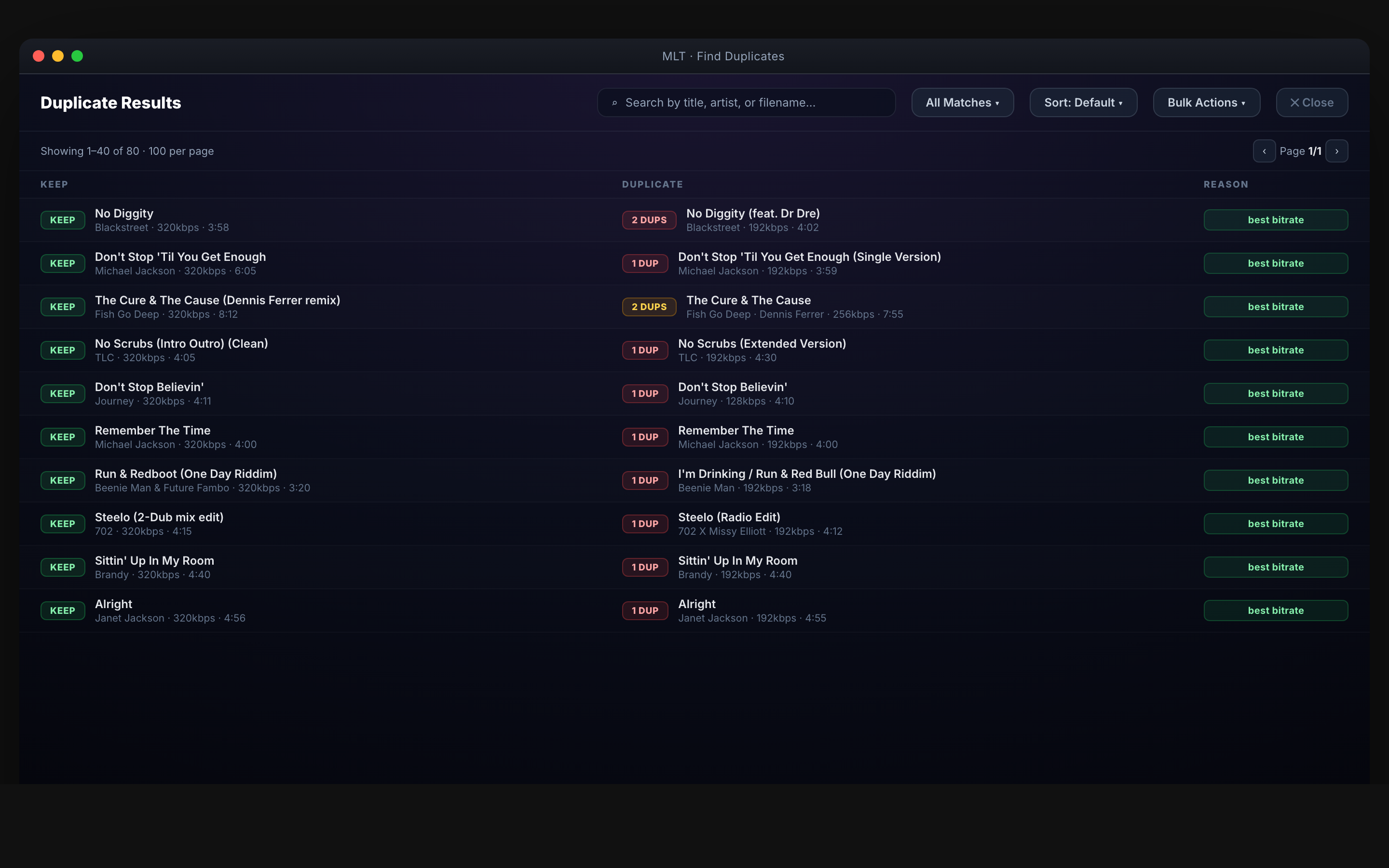
How it works
Scan. Review. Replace. Delete.
Audio-fingerprint scanning
Scan your whole Serato library or a specific folder. Audio fingerprinting catches duplicates even when filenames, tags, or bitrates differ.
Replace bad copies in your crates
Got a bad rip in a crate and a better copy elsewhere? MLT swaps the bad one for the good one and parks the bad copy in a Duplicates crate for you to delete when ready.
Send the list to Serato to delete
Review the results, approve, push the list into Serato. One clean sweep.
Compatibility
Serato only. Mac & Windows.
- Serato only.
- Mac & Windows — macOS (Apple Silicon + Intel) and Windows.
- Works on libraries of any size — large scans can take a while but finish overnight.
“Love that it'll create cues for me and clean my hard drive of duplicates.”
Common questions
Before you download.
Does it delete files automatically?
No — you always review first. It just prepares the list and can send it to Serato for you to delete.
How does the audio fingerprint work?
Each track gets a fingerprint based on the actual audio. If two tracks sound the same, they match — even if one's MP3 and one's WAV, or filenames differ.
Is it really free?
Yes — scan, detect and delete duplicates for free. Auto-replacing bad copies inside your Serato crates is a MLT Pro feature.
Free · Serato only
Clean library. Fewer sets ruined by a bad rip.
Download MLT — Free
Mac & Windows · Serato